

Your documents, details, wishes and instructions, brought together in a private digital vault. Easier to find today. Thoughtfully prepared for tomorrow.
The passport in a drawer. The policy in your inbox. The instructions only you know.
Lyff brings those scattered pieces together, so you have a secure place to return to whenever life needs a little organising.
Explore What You Can Store →Keep your family’s important paperwork within reach, from travel documents and insurance to the renewal dates that keep a household running.
Use your phone’s Take a photo button, or choose an existing photo or PDF. Photos are compressed before upload, with the size shown and an option to retake.
Files are encrypted in your browser before upload, including on your phone. On desktop, choose a file or drag and drop one file at a time.
Add an optional expiry, renewal or review date. Choose your email reminders and repeat annually for yearly renewals.
Passport expiry. Insurance renewal. A document worth reviewing. Choose 60, 30, 14 or 7 days before, or set a custom date.
Explore Lyff Reminders →Default reminders before your chosen date
After upload, a confirmation shows your reminders. Edit them in Document details or switch all reminders off in Settings while keeping your dates.
Included on all five documents in your 12-month Free plan and all documents on paid plans. Reminder emails contain no file contents or sensitive details. No reminders are sent during the grace period.
Moving from desktop to phone? Scan the upload QR code, sign in on your phone with your password and MFA, then take your photo and save it.
Choose access for individual items. On eligible paid plans, appoint trusted people without giving them your whole vault.
Explore Sharing & Permissions →For your eyes only. Private items are excluded from Guardian and Custodian access and the Release Later process.
Give an active Guardian or Custodian access to a selected item. Choose the permission and remove access when you need to.
Assign selected items for incapacity, passing or both. Requests happen inside the platform, with verification, evidence and human review before release.
How release works →A Guardian is a trusted personal contact. Appointment alone does not give them vault access.
Meet the Guardian role →A Custodian is a trusted professional. Their professional status does not grant full-vault access.
Meet the Custodian role →Future Messages can go to anyone by email on a date you choose, without giving them access to your vault.
Explore Future Messages →Vault files are encrypted in your browser before upload. Lyff’s zero-knowledge vault design means our team cannot read your vault contents.
Explore Lyff Security →Device-side AES-256 encryption for vault files.
Lyff data is hosted in Australia.
Your password signs you in. Your vault passphrase unlocks your vault. MFA adds account protection.
Phone uploads and reminders do not change sharing or release settings.
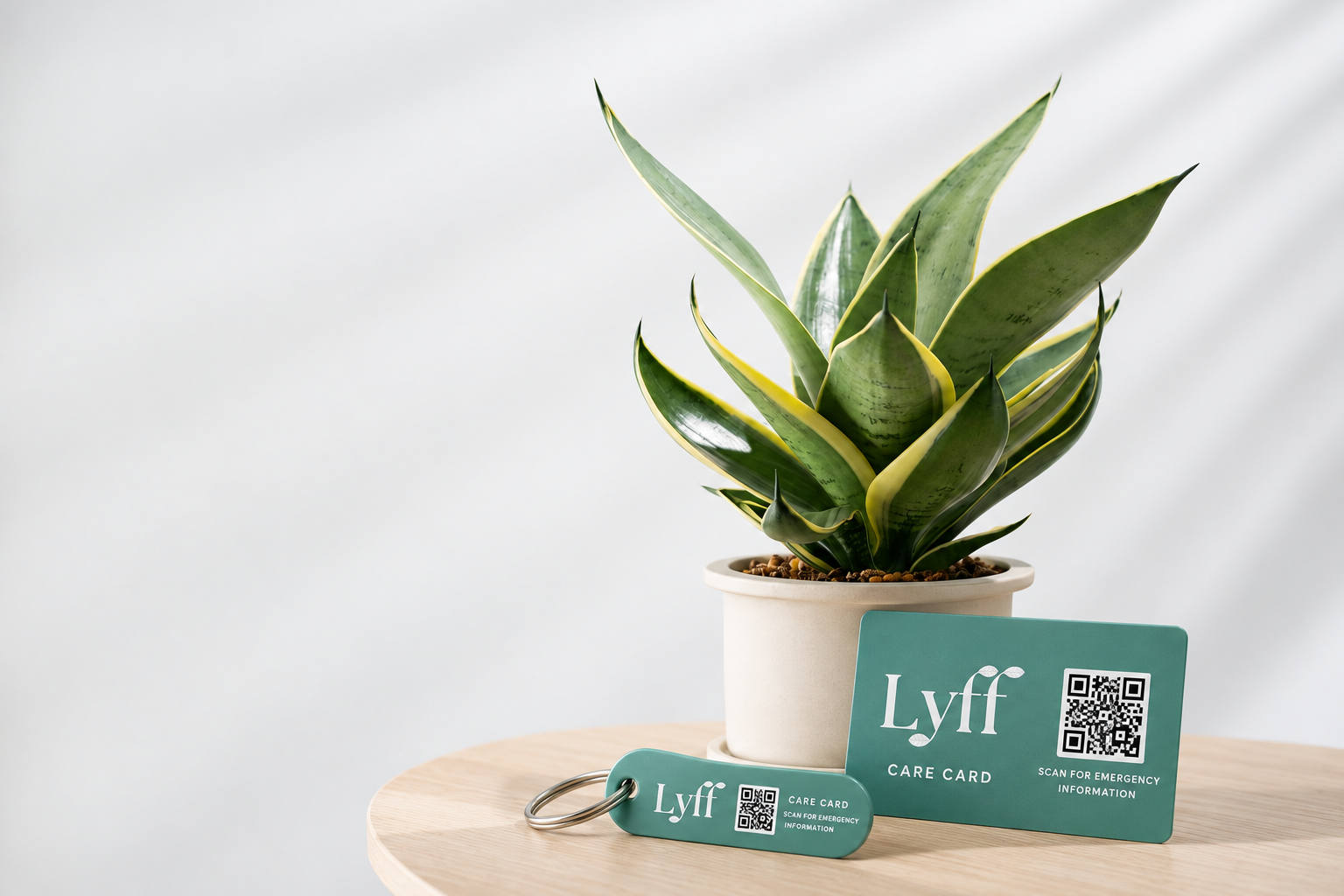
The Lyff Care Card wallet card and key tag share one QR code. It opens a read-only Emergency Profile showing only the fields you choose to make public.
Anyone with the QR code or link can see those fields without signing in. The profile cannot open your vault or its documents.
Includes a 12-month Free vault. The Care Card can keep working after vault access ends while your account is retained and the card set remains active.
The Emergency Profile is encrypted at rest, but is not zero-knowledge encrypted like your vault. Fresh MFA is required for profile changes and card management actions.
Make the practical side of family life easier to manage. Keep insurance, travel documents, household records and care instructions organised, with reminders for the dates that need attention.
The full Lyff experience for one adult.
Two adults. Two independent private vaults.
One billing arrangement.
Up to four adults, each with their own private vault.
One person manages billing.
Each adult has their own login and controls their own permissions. Being on the same subscription, or paying for it, does not automatically give anyone access to another person’s information.
Compare Complete, Duo & CircleKeep important paperwork and instructions organised, set document reminders and give selected access to a trusted Guardian or Custodian. Duo covers two adults and Circle covers up to four, with separate private vaults under one billing arrangement.
Yes. On a paid plan, appoint your partner or spouse as your Guardian. Once they are active, use Share Now to give them access to selected items. You choose permissions and can remove access.
No. Each adult has their own private vault, login and permissions. Sharing is chosen by the account holder. Paying for a subscription does not give the payer access to anyone else’s vault.
Complete, Duo and Circle include trusted Guardian and Custodian roles, Share Now, Release Later and Future Messages. You can also use document reminders across all documents in your paid vault. See Plans & Pricing for full inclusions and allowances.
Yes. Take a photo or choose an existing file or photo. Photos are compressed before upload and files are encrypted in your browser. If you start on desktop, scan the upload QR code and sign in on your phone with your password and MFA.
No. You enter the date yourself. Default reminders are 60 and 14 days before it; choose other available timings or a custom date. You remain responsible for checking dates and completing renewals.
No. A missed check-in does not trigger release. Release Later has a separate process involving verification, evidence and human review inside the platform. Private items are excluded.
No. The Care Card is a separate optional purchase. Its public Emergency Profile is separate from your vault, and its QR code cannot open or reveal your private documents.
Bring important documents, renewal dates, wishes and messages together. Share selected information with your partner or spouse, and prepare the details your trusted people may need in the future.
Choose Complete for yourself, Duo for two adults, or Circle for up to four. Each person keeps their own private vault, with one billing arrangement for Duo and Circle.